Blurry or pixelated logos
The logo looks acceptable on a phone but breaks apart on a sign, banner, vehicle graphic, or large print.
Manual logo repair and redraw service
Fix a blurry logo, repair a pixelated PNG, recreate missing artwork, or turn an AI-generated logo into clean, scalable files. A designer manually redraws the logo for signs, apparel, business cards, banners, vehicles, packaging, screen printing, and professional print production.
Starting at $19. The selected level is reviewed before production; a different price is never charged silently.
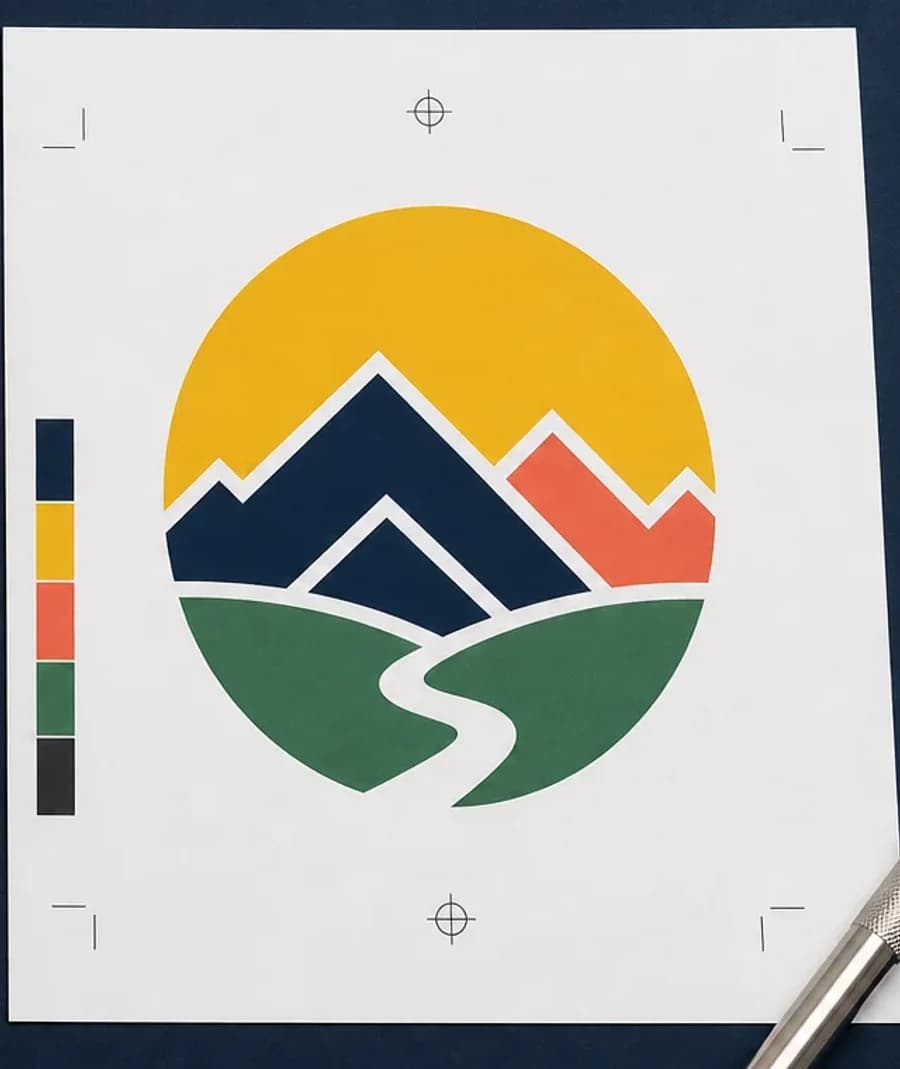
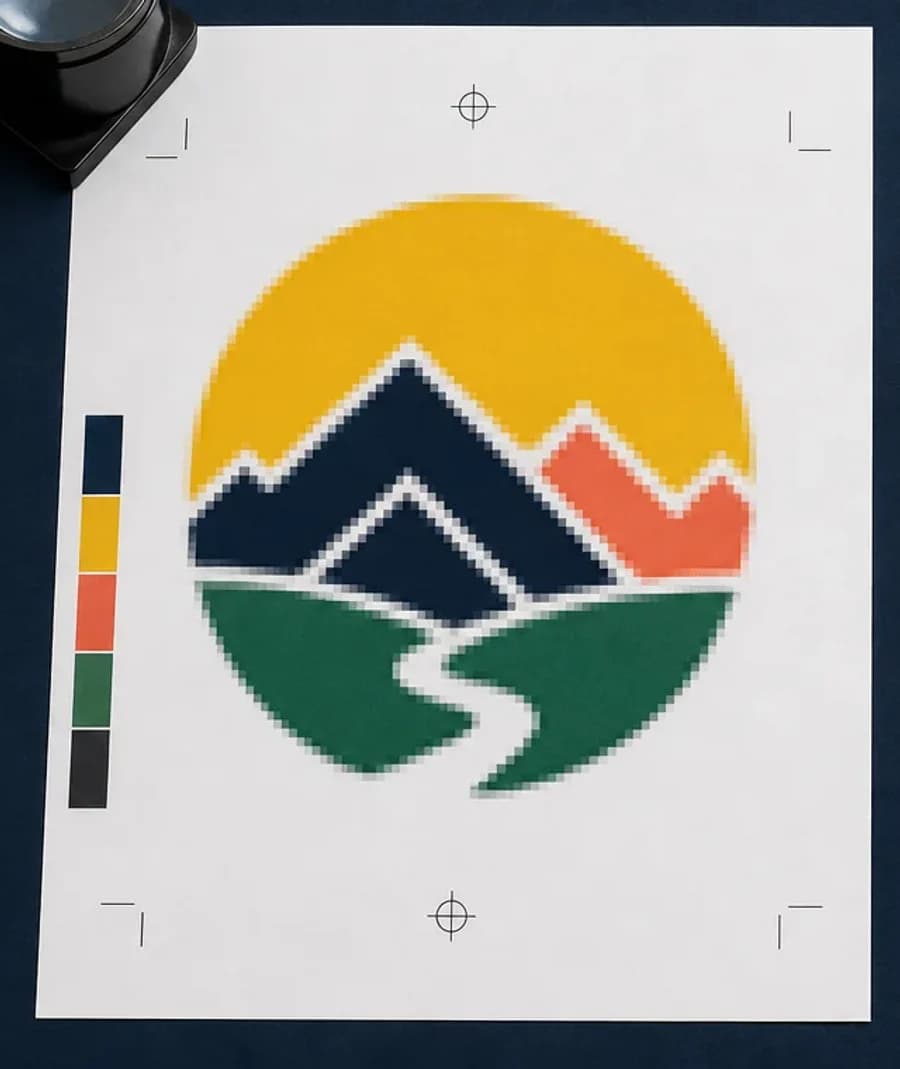
Logo repair and vectorization solves a different problem from a normal file conversion. Renaming a JPEG, placing it in a PDF, or running a one-click trace does not repair jagged edges, compressed lettering, missing details, or the mistakes inside AI-generated artwork. A manual redraw creates a dependable, print-ready logo master that can be inspected, edited, separated by color, scaled, and handed to a printer or sign shop without guessing what the artwork was supposed to be.
If you are not sure whether the source has enough resolution, run the free artwork preflight check first. It measures the actual file at the intended output size. If the problem is resolution in a photograph rather than logo geometry, the guide to fixing low-resolution artwork for print explains when a smaller size or reviewed upscale is more appropriate than vectorization.
Send every useful reference you still have. An old printed piece can clarify letterforms, a website image can confirm color relationships, and a storefront photo can show how the mark was previously arranged. The designer can compare those sources instead of treating the defects in one compressed file as the official logo.
Need an entire flyer, sign, banner, menu, or illustrated composition rebuilt instead? Use the manual design remake service. It creates a new, similar layout and may substitute unrecoverable imagery; it does not promise an exact reproduction.
What gets repaired
The before-and-after view is not an upscale preview. It shows the practical difference between visible pixels and deliberately rebuilt artwork. The designer studies the strongest available reference, identifies the intended geometry and lettering, then reconstructs the parts that should remain consistent at every size.
Common source problems
Businesses often lose the original artwork when a website changes, an employee leaves, or an old designer is no longer available. The only surviving logo may be a thumbnail from a website, a screenshot, a scan from a business card, artwork copied from social media, or a low-quality JPEG pulled from an email signature. Those files can be enough reference for a professional redraw, but they are not production files by themselves.
The logo looks acceptable on a phone but breaks apart on a sign, banner, vehicle graphic, or large print.
Lettering is fake, shapes change direction, symmetry is inconsistent, or decorative details cannot be manufactured.
The image is flattened, compressed, and too small because the original design file is unavailable.
The only reference has paper texture, print dots, distortion, shadows, or wear that should not become part of the new master.
The file has too many nodes, rough paths, holes, and wobbly edges even though its extension says SVG or EPS.
A detailed master needs a cleaner small-format version for embroidery, vinyl cutting, engraving, or promotional items.
You can also use the image-to-vector suitability check to understand whether automatic tracing is reasonable. Clean flat artwork may trace well. Logos with damaged text, shading, tiny details, photographs, or generated mistakes usually need human judgment. The guide to when vectorization fails explains why a file can technically contain paths and still be unusable for production.
Choose the closest level
Choose by the work visible in the source, not by the size of the final sign. A simple logo can be printed very large after it is rebuilt; a small but highly illustrated logo can still be complex.
Simple
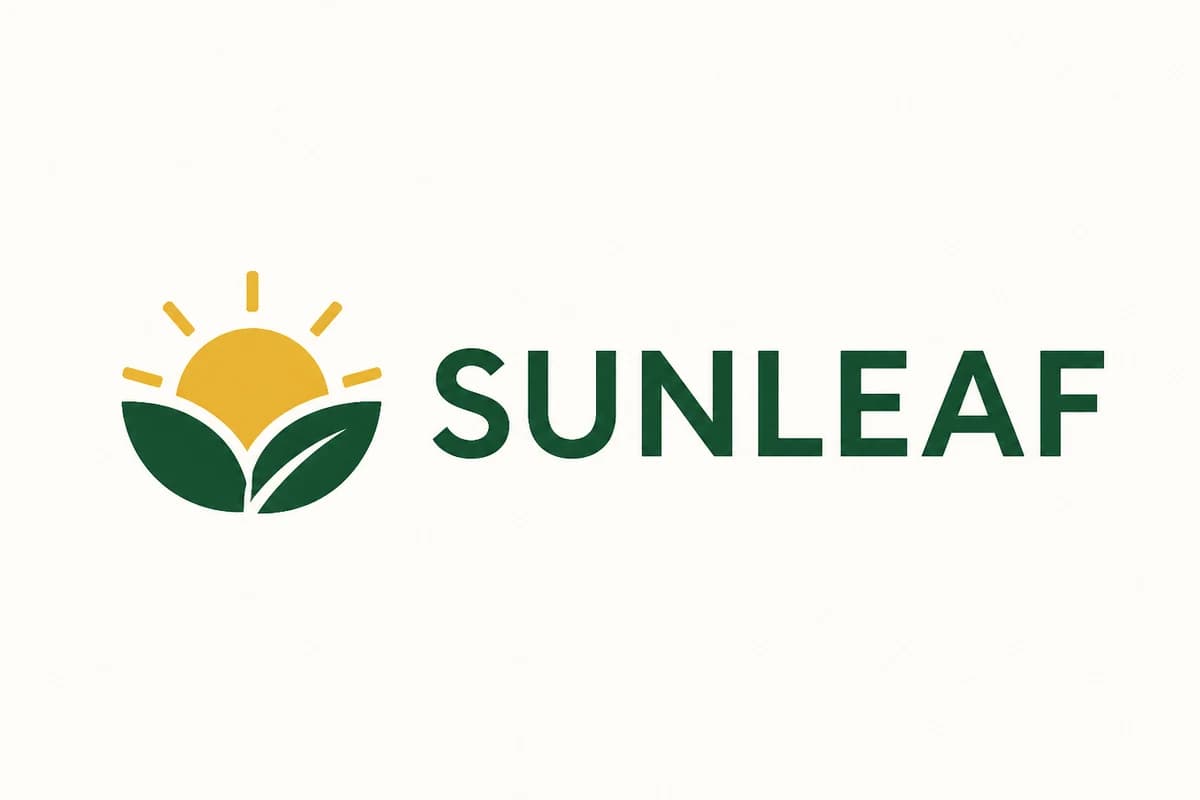
Best for clean flat logos with one to three colors, readable lettering, basic shapes, and little or no shading. The work is primarily accurate manual vector conversion and edge cleanup.
Medium
Best for blurry logos, moderate detail, compressed text, uneven spacing, color cleanup, small missing areas, or artwork that needs real reconstruction instead of a direct trace.
Complex
Best for AI-generated logos, mascots, badly damaged screenshots, missing custom lettering, detailed illustration, gradients, or substantial redraw and simplification decisions.
If the level is wrong, the vendor can return the order for classification review with a reason and suggested level. Production does not begin under a silently changed price.
Why a vector logo matters
Raster artwork is built from pixels. A raster logo can print cleanly when it has enough pixels for the selected size, but enlarging it eventually exposes the grid. Vector artwork describes lines, curves, and filled shapes mathematically, so the same clean master can be used on a business card, storefront sign, trade-show wall, vehicle door, or cut-vinyl graphic without creating a new edge every time.
Vector does not mean every visual should be traced. Photographs, paint texture, and continuous-tone illustration usually belong in raster form. A strong production file can be hybrid: vector lettering and logo geometry combined with properly sized raster imagery. The article on the best file format for professional printing explains when PDF, PNG, TIFF, SVG, or EPS is the appropriate handoff.
Deliverables and uses
Repaired logos are commonly used for exterior signs, channel letters, dimensional letters, banners, trade-show displays, vehicle graphics, business cards, brochures, labels, packaging, screen printing, direct-to-garment printing, engraving, laser cutting, and promotional products.
Embroidery requires stitch instructions rather than ordinary vector paths. When the repaired logo will be sewn on garments or hats, order the separate embroidery digitizing service. A clean vector logo is an excellent reference, but it is not automatically a sew-ready machine file.
Beyond the main outline
Lettering is often the first part of a low-resolution logo to fail. JPEG compression fills small counters, softens corners, and changes the apparent width of strokes. Automatic tracing can turn that damage into wobbly outlines. A logo repair may identify a close commercial typeface, rebuild custom letters, correct the baseline and spacing, or redraw only the damaged characters while preserving the recognizable wordmark.
The returned vector file should handle fonts deliberately. A production handoff may outline approved lettering so another shop does not need the font, while the editable master may retain documented live type when licensing and workflow permit. Outlining prevents substitution, but it also means future copy changes require the master or a careful reconstruction.
A repaired logo can document RGB values for screens, HEX values for websites, CMYK values for process printing, and suggested spot-color references for production conversations. Those numbers are starting specifications, not proof that every monitor, printer, ink, laminate, fabric, and illuminated sign will look identical. Substrate, coating, light, device profiles, and production method still affect the result.
Color-critical work should be reviewed in the receiving workflow. The guide to RGB and CMYK print files explains why a screen color may shift in process printing and why a physical proof or approved material sample matters when the brand color has a narrow tolerance.
One full-color horizontal logo rarely handles every production use. A practical package can include full color, one color, black, white or reversed, horizontal, stacked, icon-only, and a simplified small-format version. The simplified version should remain recognizably the same brand while removing details that cannot survive a small label, pen imprint, embroidery placement, vinyl cut, engraving, or channel-letter fabrication.
State which variants are needed in the order notes. If a later vendor changes stroke weight, spacing, or color construction for its device, keep that machine-specific artwork as a separate production revision. The approved vector master remains the reference, while the adapted file records what was changed for that application.
Ordering and turnaround
Send the clearest logo file available and explain where the repaired artwork will be used.
The vendor confirms that simple, medium, or complex matches the visible work before production.
A designer rebuilds geometry, lettering, color shapes, and production versions according to the instructions.
Download the completed formats from your order page and request changes during the 48-hour review window.
Standard production begins after vendor acceptance. Complex logo reconstruction may require up to 48 business hours when important lettering, illustration, or missing structure must be rebuilt. Targets run Monday through Friday, excluding observed U.S. federal holidays, and are estimates rather than guarantees.
Express is available as a turnaround target after acceptance. A classification issue or source that does not support the requested repair can pause the clock until the order is clarified.
Completed files stay tied to the order and its instructions. If the logo is moving into a customer approval workflow, the print shop proofing software keeps the named proof revision, comments, production context, and approval record together instead of sending another unexplained email attachment.
Frequently asked questions
Yes. A clear JPEG, PNG, screenshot, scan, website image, or photo of printed artwork can be used as reference. The designer manually rebuilds the usable shapes instead of pretending that changing the file extension creates vector paths.
No. Automatic tracing can be useful for very clean flat artwork, but compressed edges, small lettering, gradients, and AI artifacts often create rough paths and thousands of unnecessary points. Manual logo redraws let a designer correct the construction rather than tracing every defect.
Open the original SVG, EPS, AI, or PDF and zoom in closely. True vector edges stay smooth and individual shapes can usually be selected in a vector editor. A JPEG or PNG placed inside an SVG or PDF is still raster artwork and will eventually show pixels.
Vector orders include an editable SVG, EPS, print-ready PDF, and high-resolution JPEG. The delivery can also include useful one-color or reversed artwork when those versions are part of the approved instructions.
Yes. AI logo cleanup can rebuild unreadable lettering, uneven symmetry, distorted shapes, excess detail, and color construction that will not reproduce well. Substantial reconstruction belongs in the complex service level and may require classification review.
Express service targets four business hours after vendor acceptance and adds $10. Standard service targets 12–24 business hours. Complex reconstruction may require up to 48 business hours, particularly when lettering or detailed illustration must be rebuilt. Targets run Monday through Friday, excluding observed U.S. federal holidays, and are estimates rather than guarantees.
Upload the best source you have, choose the closest repair level, and include the products or processes the final logo must support.