AI Print Ready Files

Who it’s for

For the people who have to get artwork from an idea to something a printer can actually produce.

The platform is not a design-from-scratch canvas or a generic file drive. It is for the moment when an image, PDF, logo, or customer upload has to meet a real physical output, move through a review, or reach production with fewer unknowns.

Choose the path that matches the work

The same print file means different things to different teams.

A business may need one safe PDF for a local printer. A marketer may need several product formats and a review loop. A shop may need customer intake, preflight, proof versions, and a documented approval. The tools are connected, but the starting point stays appropriate to the job.

Businesses and small teams

For people sending a logo, flyer, banner, menu, or campaign graphic to a printer and needing a clear answer about size, DPI, bleed, crop, color, and output format before the order is placed.

  • A plain-language print-risk report
  • A print target instead of generic pixel advice
  • A prepared file and record to share with the printer
Check a file before you order

Commercial print shops and in-plant teams

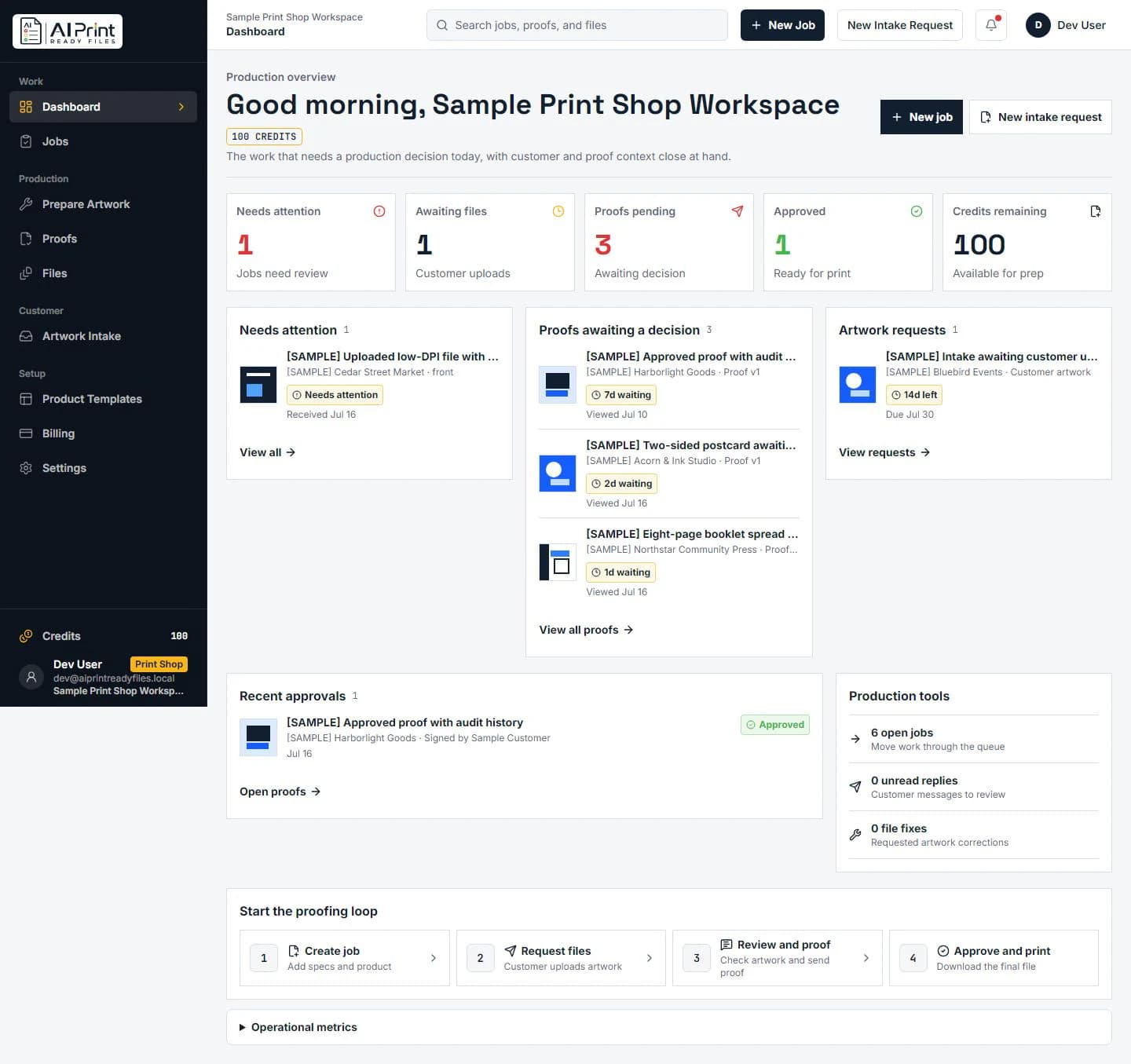
For production teams that receive customer artwork, need to reduce prepress email loops, and want intake, prep, proofing, and approval context tied to the job rather than scattered across folders.

  • Job-scoped artwork intake
  • Preflight before proof creation
  • Version-aware customer approvals
Explore the shop workflow

Marketing and brand teams

For teams moving campaign graphics through vendors, events, mail, signage, product inserts, and local print orders. The goal is to make the output decision visible before a deadline turns a weak file into a production problem.

  • Final-size checks for each deliverable
  • Clear crop and safe-area review
  • A proof path when more than one person must sign off
Choose a print product

Sign shops and large-format teams

For operators and customers deciding whether an image can scale for a sign, banner, window graphic, display, or vehicle application. The workflow starts with the actual viewing distance, final size, and production requirements—not an assumption that every file needs 300 DPI.

  • Effective DPI at the placed size
  • A clear callout when crop or source detail is limiting
  • A manual logo redraw option when a mark truly needs vector reconstruction
Check DPI at final size

Designers, creators, and AI-art sellers

For people who begin with ChatGPT, Midjourney, Canva, Ideogram, or another design source and need to turn screen-ready artwork into a file that can survive a real print product, vendor template, or customer order.

  • Source-specific preparation guidance
  • An honest distinction between upscale, vector suitability, and crop decisions
  • A way to check before spending on a production run
Find your source-app workflow

What stays connected

The file, the print target, the decision, and the approval should not have to live in separate systems.

Before production

Check the source at the intended physical size. See whether resolution, crop, bleed, color, transparency, or file structure needs attention.

During review

Make the prepared artwork and its proof context visible to the person who needs to comment, approve, or request a change.

At handoff

Keep a clear output and an understandable record for the printer, operator, customer, or teammate who needs to know what was checked and what version was approved.

A useful boundary

It prepares and documents artwork decisions. Your production team still controls production.

AI Print Ready Files helps make file readiness legible before a job reaches the press, printer, embroiderer, sign fabricator, or finishing workflow. It does not claim to certify every material, machine, substrate, color contract, imposition method, or local production rule.

That boundary is deliberate. A useful preflight report identifies the risk and carries the right context forward. It does not hide a judgment call behind a generic “ready” label when the actual printer, print method, or product specification still needs confirmation.

For a logo that truly needs a manual rebuild, the optional logo repair and vectorization service can produce a separate professional deliverable. For standard artwork, start with the print-prep path so the final-size requirements lead the decision.
Audience questions

Choosing the right starting point

Do I need to be a print professional to use the platform?

No. The consumer path starts with an upload and a plain-language report. Advanced print settings remain available when a printer, production team, or job specification requires them.

Is the Print Shop workflow only for traditional commercial printers?

No. It is intended for any team that repeatedly collects customer artwork and needs a controlled print-prep, proof, and approval path, including sign, apparel, promotional-product, and in-plant production teams.

When should I use the manual vectorization service?

Use it when a logo itself is blurry, damaged, AI-generated, missing, or too rough for the intended production method. It is an optional manual service; ordinary photographic or artwork resolution issues may be better handled as a print-prep decision instead.