AI Print Ready Files

Manual stitch-file preparation

Embroidery digitizing services for logos that need to sew cleanly.

Turn a logo into production instructions for left-chest embroidery, full-logo placements, uniforms, polos, jackets, hats, bags, and promotional apparel. A digitizer plans the stitches instead of simply changing the artwork extension.

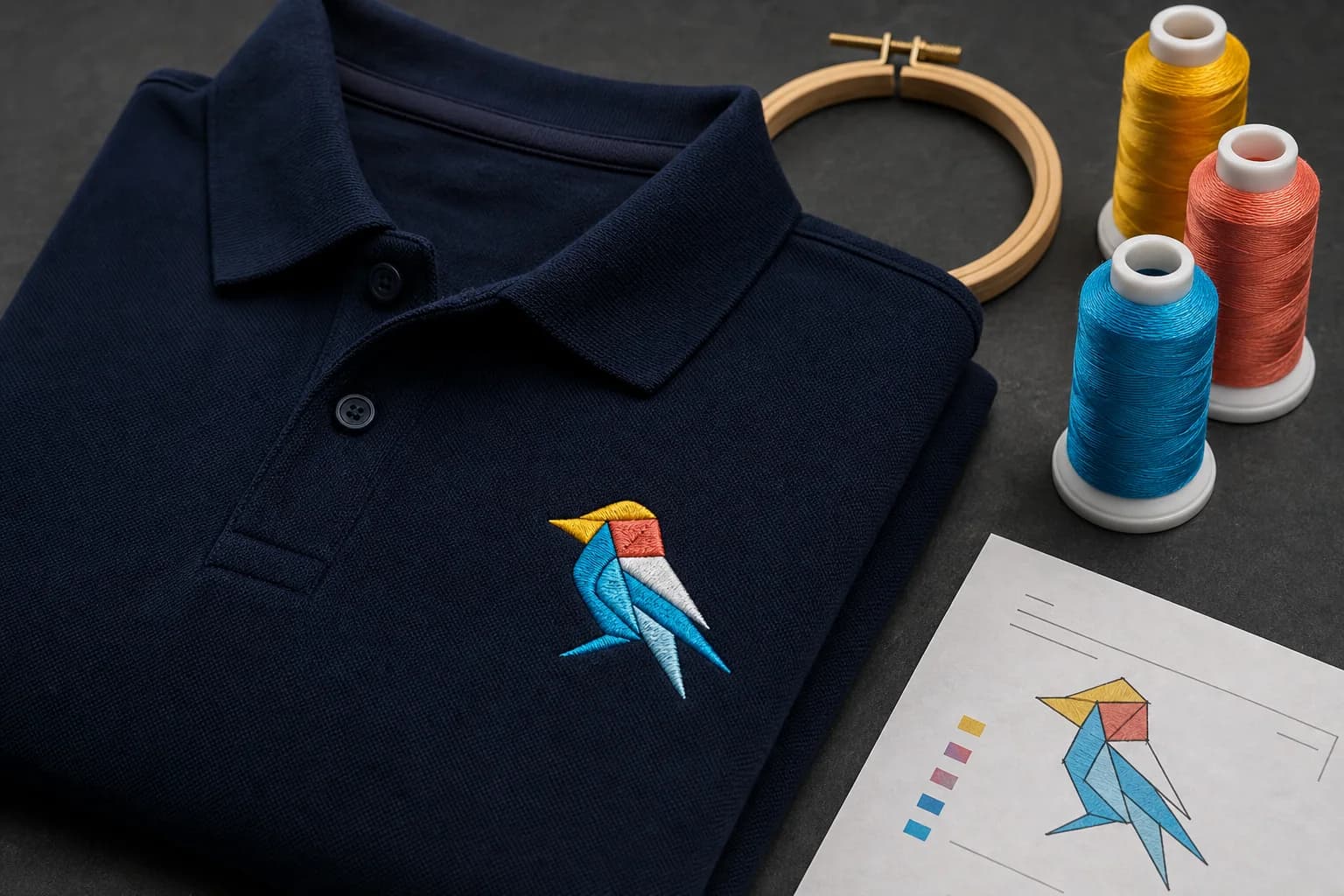
Geometric bird logo embroidered with clean stitches on a navy polo

Embroidery digitizing is the translation between a visual logo and the way thread behaves on a real material. The same artwork can require different stitch decisions on a structured cap, a soft polo, a jacket back, a patch, or a lightweight performance shirt. A production-ready stitch file records those decisions. Good embroidery digitizing considers the finished size, fabric stability, stitch direction, sequence, density, underlay, trims, color changes, and pull compensation before the machine starts.

If the source logo is blurry, pixelated, or built from AI-generated lettering, repair it through the logo repair and vectorization service first. Clean source geometry gives the digitizer a reliable reference and provides reusable SVG, EPS, PDF, and JPEG artwork for printing and signage outside embroidery.

Simple fixed starting prices

Choose the embroidery placement

$28

Left-chest digitizing

For a standard compact logo placed on the left chest of polos, uniforms, work shirts, and similar garments.

  • Placement-sized stitch planning
  • Color and sequence review
  • Production sheet and preview
  • Secure delivery and change window
Choose Left-chest digitizing
$35

Full-logo digitizing

For larger or more detailed logo placements such as jacket backs, bags, broad front designs, and other full-logo applications.

  • Larger production area
  • Detail and simplification review
  • Production sheet and preview
  • Secure delivery and change window
Choose Full-logo digitizing

Express four-hour target: +$10

Standard turnaround targets 12–24 hours after vendor acceptance. Express targets four hours. Highly detailed artwork, missing information, or a source that needs repair can require clarification before the production clock begins.

What the digitizer controls

A stitch file is a production plan, not a picture

Stitch type and direction. Satin stitches, fills, and running stitches reproduce different shapes. Direction affects sheen, texture, edge definition, and the way neighboring areas meet.

Underlay and density. Underlay helps stabilize the surface and gives top stitches a foundation. Density must cover the garment without making the design unnecessarily stiff or causing thread breaks.

Pull compensation. Thread and fabric move during sewing. Compensation helps keep outlines, gaps, and neighboring colors aligned after that movement.

Sequence, trims, and color changes. The order of operations affects registration, efficiency, travel stitches, and whether later areas cover earlier transitions cleanly.

Include these instructions with the upload

  • Finished embroidery width or height
  • Left chest, hat, jacket back, patch, bag, or other placement
  • Garment or material type when known
  • Thread-color or brand-color expectations
  • Any details that must remain readable
  • The clearest original artwork available

A free source-file check can identify low resolution, transparency, file-structure, and size concerns before the order is placed.

Complexity and classification

What makes an embroidery digitizing order straightforward or difficult

The listed price is tied to left-chest or full-logo service, but the vendor still reviews whether the upload and instructions describe a workable job. Classification review protects the production process when the selected option leaves out a major constraint. The vendor can explain the mismatch and suggest the appropriate service; the system does not silently charge a different amount.

Letter size and density

Small lettering needs enough height, stroke width, and open space to remain legible. A long phrase forced into a narrow left-chest field may need a larger placement or revised layout.

Number of objects and colors

Many isolated pieces, outlines, overlaps, color changes, trims, and travel moves increase planning. Fewer colors do not automatically mean simple if the registration is difficult.

Fabric and placement

Stretch, pile, seams, curvature, backing, and the embroidery field affect stability. A design intended for several very different materials may need more than one production version.

Source ambiguity

Missing letters, unclear edges, screenshots, and AI artifacts force interpretation. Repairing the brand master before digitizing is safer than asking the stitch file to resolve an unknown design.

A detailed logo does not always need every visual effect reproduced in thread. The useful question is which parts make the logo recognizable at the requested size. A thoughtful digitizer can recommend a flatter color structure, heavier lettering, cleaner negative space, or a reduced-detail production version while preserving the approved source artwork for print and screen uses.

Also state whether this is a new program or a replacement for an existing stitch file. If a prior sew-out has a specific problem—puckering, loose registration, unreadable copy, excessive density, or a border that shifts—include a photo and the old production details when available. That evidence gives the digitizer a concrete failure to correct instead of asking them to repeat the same assumptions from the logo alone.

Reproduction limits

Why small embroidery often needs a simplified logo

Tiny lettering

Letters that look sharp on a monitor can close up or lose counters when sewn at left-chest size. Increasing size or simplifying copy can be safer than forcing every character.

Gradients and shadows

Thread uses discrete colors and stitch textures. A smooth screen gradient may need fewer color steps or a deliberately simplified flat version.

Thin gaps and outlines

Very narrow negative spaces can fill, while thin outlines can shift against the base shape. The digitizer may adjust spacing or weight for the actual size.

Simplification should preserve recognition and brand structure, not randomly remove parts. The broader professional print file-format guide explains why a clean vector reference and a stitch file serve different downstream systems even when they depict the same logo.

Choose by placement and scale

Left-chest embroidery and full-logo digitizing solve different production jobs

Left-chest digitizing is built around a compact placement that is usually viewed at conversational distance. The available width limits small text, thin outlines, internal gaps, and the number of color changes that remain useful. Full-logo digitizing supports a larger or more detailed placement, but larger does not mean every source detail should be preserved. The digitizer still has to choose stitch structures that run efficiently and reproduce the artwork on the stated material.

Left chest, uniforms, and polos

A left-chest logo often falls in a compact width range chosen by the decorator and garment. The design may need thicker lettering, more open negative spaces, fewer tiny outlines, and a simplified icon so it remains readable from a normal standing distance. Include the requested finished width and the garment type rather than asking the digitizer to infer the size from the artwork.

Jacket backs, bags, and larger placements

A larger field can support more detail, wider satin columns, and longer fill areas, but it also increases stitch count and the chance that a poorly planned sequence will distort the garment. The full-logo service is the better starting point when the mark covers a broad back, bag panel, large front, or detailed emblem that requires more production planning than a standard left chest.

Structured caps and curved surfaces

Hats are not simply smaller shirts. Seams, stiff backing, curved panels, limited embroidery fields, and center-out sewing strategies can change the digitizing. If the file will be used on a cap, state that explicitly. A left-chest stitch file may be a useful reference but should not automatically be treated as the final cap production file.

Patches and specialty materials

Patches, fleece, performance fabrics, canvas bags, towels, and other textured or unstable materials can require different underlay, density, topping, backing, border, or compensation decisions. Include the material and whether the piece is a direct garment embroidery or a separate patch. The stitch plan should follow the actual construction rather than a generic preview.

Source preparation

Give the digitizer a logo they can interpret accurately

The source does not have to be an embroidery file, but it should show the intended logo clearly. A clean SVG, EPS, AI, or PDF is ideal for shape and lettering reference. A high-resolution PNG or JPEG can also work when the edges, colors, and small details remain visible. Screenshots and scans may be usable, but compression, paper texture, glare, distortion, or missing letters can create ambiguity that the digitizer should not guess through.

If the logo contains AI-generated fake text, inconsistent symmetry, or edges that already look damaged, correct the master before digitizing. Running a stitch conversion against the wrong letterform makes the mistake harder to fix later because the machine file contains a sewing plan, not editable brand geometry. The manual logo redraw service can establish the clean source first.

Helpful order notes

Finished size: give the intended width or height in inches or millimeters. Stitch decisions cannot be judged without scale.

Placement: identify left chest, hat, sleeve, jacket back, patch, bag, or another field.

Material: state the garment or substrate when known, including stretch, pile, texture, or structure that can affect sewing.

Color priority: list required thread colors or areas that can be simplified. Screens do not guarantee an exact thread match.

Non-negotiable details: identify words, registration, outlines, or brand elements that must remain readable so the digitizer can flag a size conflict early.

Order workflow

From artwork upload to secure stitch-file delivery

Upload

Choose the placement, upload the source, and describe size, garment, colors, and special concerns.

Review

The vendor confirms that the selected service fits the visible complexity and can request clarification.

Digitize

The logo is converted into planned stitches for the stated size and production use.

Deliver

Files return through a secure order page with 48 hours to request a change before closure.

Shops that need the customer to approve placement, spelling, size, and a named revision can keep that decision in the print shop proofing software. The linked approval history is more dependable than a loose “looks good” message attached to an older file.

Delivery and production review

Review the stitch file as production data, not only as an on-screen preview

The delivered package should identify the stitch file supplied by the vendor, the production sheet, and a visual preview. Machine-file extensions vary by equipment and shop workflow, so state the required format in the instructions when the receiving decorator has given one. A preview is useful for checking color order and general appearance, but it cannot prove how thread will interact with a particular garment.

A production sheet can document finished dimensions, stitch count, color sequence, trims, and other details supplied by the digitizer. Review those facts against the order before releasing the file. A design that was requested at left-chest size should not arrive at an unexplained dimension, and a required color should not disappear without a documented simplification decision.

The best physical verification is a sew-out on material that behaves like the final garment. Check small lettering, registration, puckering, gaps, outlines, thread coverage, density, and the way the design sits after the hoop is removed. A screen proof cannot reproduce needle tension, backing, thread, pile, stretch, or machine setup.

Use the 48-hour change window carefully

If the returned file does not match the approved instructions, request the change from the order page and describe the issue precisely. Include the affected lettering, color, size, sequence, or placement rather than a general “make it better” note.

Keep machine files separate from the logo master

The embroidery output belongs to its size, placement, and material assumptions. Preserve the vector logo master separately so later print, sign, web, or apparel work starts from clean brand artwork rather than a machine-specific stitch plan.

Approve the named revision

When a customer or shop stakeholder must sign off, use a current proof with explicit version history. Do not let an older screenshot or emailed preview become the accidental authority for production.

Embroidery digitizing questions

What is embroidery digitizing?

Embroidery digitizing converts visual artwork into machine instructions for stitch type, direction, density, underlay, sequence, trims, and compensation. It is a production setup process, not a normal image conversion.

Can I embroider an SVG, EPS, or vector logo directly?

No. A vector logo is a strong clean reference, but an embroidery machine requires a stitch file created for the placement, fabric, and expected size. Vector paths do not contain the underlay, density, pull compensation, or sewing sequence the machine needs.

What does left-chest digitizing cost?

Left-chest digitizing is $28. Full-logo digitizing is $35. Express service adds $10 and targets four hours after vendor acceptance.

What source file should I upload?

Upload the clearest artwork available and include the intended size, garment or material, placement, and any color instructions. SVG, EPS, PDF, PNG, and high-quality JPEG references are useful; a damaged logo may need repair before digitizing.

Will every tiny logo detail sew correctly?

Not always. Small text, thin gaps, tight outlines, gradients, shadows, and fine illustration can fail at embroidery scale. The artwork may need a simplified production version that preserves recognition while removing details the thread cannot reproduce.

Send the logo, placement, and size in one order.

Choose left-chest or full-logo digitizing, add production notes, and track the vendor review and returned files securely.